All Purpose Sport Screen Printed Tagless Neck Labels
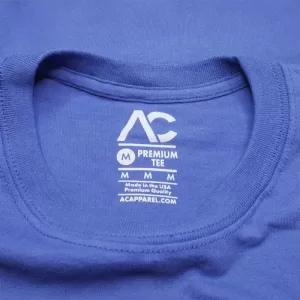
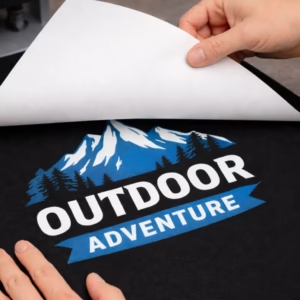
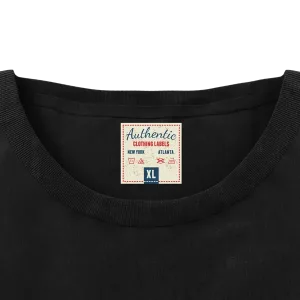
All Purpose Sport Screen Printed Tagless Neck Labels are screen printed transfers that give brands a soft, professional inside-neck print instead of an itchy tag or shiny DTF. These single-color labels create a clean, official retail finish with a smooth, matte look that feels like part of the fabric and keeps your branding consistent across styles.
Made for both comfort and durability, these labels have some stretch, are designed to resist cracking, and apply at lower temperatures that work well on heat sensitive fabrics like polyester and swimwear. Whether you’re building a clothing line, printing team gear, or creating private label merch, these tagless neck prints help your garments feel better and look more professional than sewn tags or plastic-feeling transfers.
Key Features
- Single-color screen-printed
- Durable print made to handle repeated washing
- Matte soft screen print feel without the plastic, shiny DTF-style finish
- Some stretch to move with performance fabrics without cracking
- Versatile: works on most fabrics including cotton, polyester, blends, and many heat sensitive fabrics like swimwear
- Applies between 280°F and 320°F
- Easy application; can be applied with a heat press, home iron, or small craft press
- Free shipping included
- Ships within 2–3 business days after artwork approval
- Need a design? Basic neck label layouts can be created for you
Pricing
| Quantity |
120 |
240 |
360 |
480 |
1000 |
| Total Price |
$64.99 |
$89.99 |
$109.99 |
$124.99 |
$209.99 |
| Price per Label |
$0.55 |
$0.38 |
$0.31 |
$0.26 |
$0.21 |
Need a larger quantity? Get a custom quote!
Request a Quote
Application & Care
Application & Care

Temperature
280–20°F

Time
6–12 Seconds

Pressure
40 PSI / Firm Pressure

Peel Method
Cold Peel
Press Settings
| Setting |
Value |
| Press Temperature |
280–20°F |
| Press Time |
6–12 Seconds |
| Pressure |
40 PSI / Firm Pressure |
| Peel Method |
Cold Peel |
| Press Type |
Traditional heat press, home iron or handheld press may be used |
Step-by-Step Application
-
Prepare Your Heat Press. Set the heat press to 280–320°F with 40 PSI / firm pressure. A traditional heat press, home iron or handheld/mini press may be used. Do not use a Teflon sheet or any kind of cover with a traditional heat press.
-
Pre-Press the Garment. Position the garment and pre-press for 5 seconds to remove surface moisture and wrinkles before applying the transfer.
-
Position the Transfer. Place the transfer printed side down where you want the design. Avoid seams, zippers, and uneven surfaces unless the product is specifically designed for those areas.
-
Apply Heat & Pressure. Press for 6–12 seconds at 40 PSI / firm pressure. Maintain the recommended pressure for the full pressing time.
-
Peel the Carrier Cold. Wait at least 20–30 seconds until the transfer reaches room temperature, then peel cold with a smooth, even motion.
-
Inspect the Transfer. Check that the design is fully bonded, including edges and fine details, before continuing production.
Important Precautions
- Always perform a test press before starting full production. We are not responsible for damaged garments.
- Use a traditional heat press, home iron or handheld/mini press capable of maintaining the required temperature and even pressure.
- Do not use a Teflon sheet or any kind of cover.
- Do not apply transfers over seams, zippers, or uneven surfaces unless specifically permitted.
- Confirm that your garment material is compatible with the selected transfer and application temperature.
- Peel cold after 20–30 seconds. Peeling while still hot may prevent release; waiting much longer may make release rougher.
Heat-Sensitive Fabrics and Home Iron Use
- For heat-sensitive fabrics: press at 280°F for 12 seconds, then peel cold.
- Home iron or handheld/mini press may be used: use the wool setting (about 300–320°F) on a flat, hard surface (ironing boards do not work). Pre-press the garment for a few seconds, press the transfer for 12 seconds with firm pressure, then wait 20–30 seconds and peel cold.
- For faster production on compatible fabrics: 320°F for 8 seconds, then peel cold.
- Works on most fabrics including cotton, polyester, blends, and many heat-sensitive fabrics such as swimwear. Confirm garment compatibility with a test press.
Care Instructions
- Wash Cold Inside Out.
- Best if Hang Dry or No Heat if Must Tumble Dry Low Heat.
- Do Not Bleach.
- Do Not Iron Imprint/Transfer.
- Do Not Dry Clean.
- Best Not to use fabric softener.
Always perform a test press before full production to verify adhesion, application settings, and garment compatibility.
Need help with application or choosing the right transfer?
Request a Quote
Shipping & Turnaround
Shipping & Turnaround
Production Time
Most orders ship within 2–3 business days once artwork is print-ready and any required artwork approval has been received.
Orders requiring artwork corrections, revisions, multi-color printing, or larger production quantities may require additional processing time.
Shipping Options & Rates
Available shipping methods and rates depend on the product, order quantity, and destination. The following table illustrates example shipping rates.
| Shipping Method |
Shipping Rate |
| USPS Ground |
$10.95 |
| UPS Ground |
$15.95 |
| FedEx 2Day |
$20.95 |
Example rates only. Final shipping options, eligibility, and charges are determined at checkout.
Free Shipping & Special Offers
Free shipping may be available on qualifying orders, depending on the product and applicable order requirements. Any eligible free-shipping offers and available shipping options will be displayed during checkout.
Need a rush order or have special shipping requirements?
Request a Quote
Artwork Requirements
Artwork Requirements
Print-Ready Basics
For the best results, submit clean, print-ready artwork. Your design should be prepared at the intended printing size, with accurate colors, spelling, and layout.
- Upload artwork at the exact size you want printed.
- If resizing is needed, include the required width and height in your order notes.
- Submit artwork in the correct orientation, not mirrored.
- Use a transparent background unless the background is intended to print.
- Check spelling, alignment, and design details before uploading.
Accepted File Formats
Vector artwork is preferred for sharp edges, accurate sizing, and clean printing. High-resolution raster artwork is also accepted.
- Preferred Vector Files: PDF, AI, SVG, EPS
- Accepted Raster Files: PSD, PNG, TIFF, JPG
- Raster Resolution: At least 300 DPI at final print size.
- Canva Users: Export your artwork as PDF Print for the best available quality.
Color & Design Setup
Artwork should reflect the intended finished design. Color requirements vary depending on whether the selected product uses spot-color screen printing, full-color printing, or a specialty process.
- Spot-Color Printing: Use clean, solid colors and identify the intended ink colors.
- Full-Color Printing: Submit high-quality artwork containing the intended full-color design.
- White Ink: Include white as a printing color only when white ink is intended.
- Special Effects: Gradients, fades, shadows, and transparency may need adjustment for spot-color screen printing.
- Color Notes: Specify important color requirements in your order notes.
Minimum Detail & Text Requirements
For standard spot-color screen-printed transfers, artwork should meet the following minimum tolerances. Other printing processes may have different detail requirements.
| Requirement |
Minimum |
| Printed Line Thickness |
1 pt / 0.014 in |
| Negative Space |
2 pt / 0.028 in |
Convert all fonts to outlines or shapes before uploading. Very thin lines and small details may fill in or disappear during printing.
Font Recommendations for Small Neck Labels
When designing small neck labels, we recommend avoiding serif-style fonts with very thin strokes, delicate accents, or intricate decorative details. These fine elements may not reproduce clearly when printed at smaller sizes.
Regular-Weight Serif Font Example
Abc
Notice the thin strokes and decorative finishing details.
These small accents, sometimes called serifs, can become difficult to reproduce when the lettering is reduced to neck-label size.
Our Recommendation:
Serif fonts are allowed, but for small lettering, choose fonts with thicker, well-defined strokes and sufficient spacing. Avoid extremely thin decorative accents that may disappear or fill in during printing. Always check the thinnest parts of your letters against the minimum printed line thickness requirements.
Before Uploading Your Artwork
- Review your design at its intended finished size.
- Convert fonts to outlines or shapes to avoid substitutions.
- Remove unwanted backgrounds, effects, and stray design elements.
- Check that your artwork meets the requirements for the selected transfer.
- Upload your artwork through the product configurator.
- Include any important sizing, color, or production notes.
Files created in basic design programs, screenshots, and low-resolution images may require additional artwork preparation before production.
For more information, visit our
Artwork Requirements page.
Need help preparing your artwork?
Request a Quote