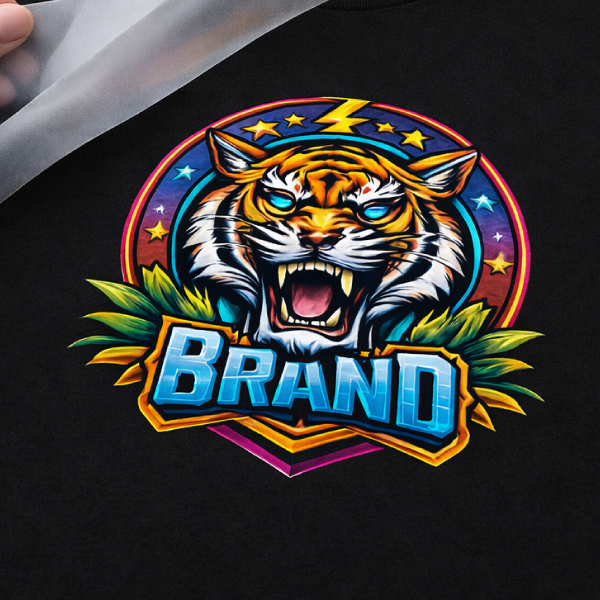
Advanced HP Hot Peel Heat Transfers are made for customers who want the softest feel and a smooth, high-end finish. This option is designed for a clean press with no clear outlines, helping artwork look crisp and polished while keeping the print comfortable to wear.
Advanced HP is best on 100% cotton and can also work on cotton blends when the garment can handle higher press temps. It’s available in single-color or multi-color, making it a strong choice for everything from simple logos to detailed designs.
Key Features
- Softest feel (soft hand finish)
- Hot peel for faster production
- No clear outlines for a cleaner, smoother look
- Single-color or multi-color available
- Best for 100% cotton (works on cotton/poly blends if temperature allows)
- Max size: 12″ x 17.5″ (gang sheet or single design)
- Application: 375°F–400°F
- Free shipping
- Single-color ships in 1–2 business days with print-ready artwork
- 6 Minimum
Pricing
| Colors |
6–11 |
12–17 |
18–23 |
24–35 |
36–47 |
48–59 |
60–71 |
72–89 |
90–107 |
108–143 |
144–179 |
180–215 |
216–251 |
| 1 Color |
$9.06 |
$6.23 |
$4.62 |
$3.99 |
$3.37 |
$2.78 |
$2.54 |
$2.35 |
$2.27 |
$2.04 |
$1.81 |
$1.68 |
$1.54 |
| 2 Color |
$18.56 |
$12.77 |
$9.47 |
$8.17 |
$6.90 |
$5.70 |
$5.20 |
$4.81 |
$4.64 |
$4.18 |
$3.71 |
$3.43 |
$3.16 |
| 3 Color |
$26.15 |
$17.99 |
$13.34 |
$11.51 |
$9.73 |
$8.03 |
$7.32 |
$6.77 |
$6.54 |
$5.88 |
$5.23 |
$4.84 |
$4.45 |
| 4 Color |
$34.38 |
$23.65 |
$17.53 |
$15.13 |
$12.79 |
$10.55 |
$9.63 |
$8.90 |
$8.60 |
$7.74 |
$6.88 |
$6.36 |
$5.84 |
Need a larger quantity? Get a custom quote!
Request a Quote
Application & Care
Application & Care

Temperature
375°F – 400°F

Time
8–12 Seconds

Pressure
40 PSI / Firm Pressure

Peel Method
Hot Peel
Press Settings
| Setting |
Value |
| Press Temperature |
375°F – 400°F |
| Press Time |
8–12 Seconds |
| Pressure |
40 PSI / Firm Pressure |
| Peel Method |
Hot Peel |
| Press Type |
Traditional Heat Press |
Step-by-Step Application
-
Prepare Your Heat Press. Set the heat press to 375–400°F with 40 PSI / firm pressure. Use a traditional heat press. Do not use a Teflon sheet or any kind of cover.
-
Pre-Press the Garment. Position the garment and pre-press for 5 seconds to remove surface moisture and wrinkles before applying the transfer.
-
Position the Transfer. Place the transfer printed side down where you want the design. Avoid seams, zippers, and uneven surfaces unless the product is specifically designed for those areas.
-
Apply Heat & Pressure. Press for 8–12 seconds at 40 PSI / firm pressure. Maintain the recommended pressure for the full pressing time.
-
Peel HOT Immediately. Peel the transfer paper right away while hot. Do not wait for the transfer to cool.
-
Inspect the Transfer. Check that the design is fully bonded, including edges and fine details, before continuing production.
Important Precautions
- Always perform a test press before starting full production. We are not responsible for damaged garments.
- Must use a traditional heat press capable of maintaining the required temperature and even pressure.
- Do not use a Teflon sheet or any kind of cover.
- Do not apply transfers over seams, zippers, or uneven surfaces unless specifically permitted.
- Confirm that your garment material is compatible with the selected transfer and application temperature.
- Peel HOT right away. Peeling too late may affect adhesion.
Compatible Fabrics
- Best on 100% cotton.
- Also works on cotton/poly blends when the garment can handle higher press temperatures.
- Gives the softest feel with no clear outlines for a clean, smooth finish.
- Always test on your exact garment before a full run.
Care Instructions
- Wash Cold Inside Out.
- Best if Hang Dry or No Heat if Must Tumble Dry Low Heat.
- Do Not Bleach.
- Do Not Iron Imprint/Transfer.
- Do Not Dry Clean.
- Best Not to use fabric softener.
Always perform a test press before full production to verify adhesion, application settings, and garment compatibility.
Need help with application or choosing the right transfer?
Request a Quote
Shipping & Turnaround
Shipping & Turnaround
Production Time
Most orders with single-color, vector-ready artwork are produced in 1–2 business days.
Orders with non-vector artwork usually add one extra business day. If the file is low quality or the artwork is complex, turnaround can take longer.
Multi-color orders and higher quantities may also require additional production time.
Shipping Options & Rates
Shipping from New Jersey. Available shipping methods and delivery times depend on the product, order quantity, and destination.
| Shipping Method |
Delivery Time |
| Free Standard Shipping |
2–5 business days |
| Priority Shipping |
1–3 business days |
| Order Cutoff |
Monday–Friday at 1:00 PM ET. Orders placed after 1:00 PM ET or on weekends begin processing the next business day. |
Final shipping options, eligibility, and charges are determined at checkout.
Free Shipping & Special Offers
Free shipping may be available on qualifying orders, depending on the product and applicable order requirements. Any eligible free-shipping offers and available shipping options will be displayed during checkout.
Need a rush order or have special shipping requirements?
Request a Quote
Artwork Requirements
Artwork Requirements
Print-Ready Basics
For the best results, submit clean, print-ready artwork. Your design should be prepared at the intended printing size, with accurate colors, spelling, and layout.
- Upload artwork at the exact size you want printed.
- If resizing is needed, include the required width and height in your order notes.
- Submit artwork in the correct orientation, not mirrored.
- Use a transparent background unless the background is intended to print.
- Check spelling, alignment, and design details before uploading.
Accepted File Formats
Vector artwork is preferred for sharp edges, accurate sizing, and clean printing. High-resolution raster artwork is also accepted.
- Preferred Vector Files: PDF, AI, SVG, EPS
- Accepted Raster Files: PSD, PNG, TIFF, JPG
- Raster Resolution: At least 300 DPI at final print size.
- Canva Users: Export your artwork as PDF Print for the best available quality.
Color & Design Setup
Artwork should reflect the intended finished design. Color requirements vary depending on whether the selected product uses spot-color screen printing, full-color printing, or a specialty process.
- Spot-Color Printing: Use clean, solid colors and identify the intended ink colors.
- Full-Color Printing: Submit high-quality artwork containing the intended full-color design.
- White Ink: Include white as a printing color only when white ink is intended.
- Special Effects: Gradients, fades, shadows, and transparency may need adjustment for spot-color screen printing.
- Color Notes: Specify important color requirements in your order notes.
Minimum Detail & Text Requirements
For standard spot-color screen-printed transfers, artwork should meet the following minimum tolerances. Other printing processes may have different detail requirements.
| Requirement |
Minimum |
| Printed Line Thickness |
1 pt / 0.014 in |
| Negative Space |
2 pt / 0.028 in |
Convert all fonts to outlines or shapes before uploading. Very thin lines and small details may fill in or disappear during printing.
Before Uploading Your Artwork
- Review your design at its intended finished size.
- Convert fonts to outlines or shapes to avoid substitutions.
- Remove unwanted backgrounds, effects, and stray design elements.
- Check that your artwork meets the requirements for the selected transfer.
- Upload your artwork through the product configurator.
- Include any important sizing, color, or production notes.
Files created in basic design programs, screenshots, and low-resolution images may require additional artwork preparation before production.
For more information, visit our Artwork Requirements page.
Need help preparing your artwork?
Request a Quote